
Templates are only available for Ditto Premium and Elite plans. Ditto Basic plans can be upgraded in the Billing section of your Ditto Account Portal.
Ditto templates are pre-designed, customizable templates that allow you to easily create certain types of digital signage content. Templates are customizable so you can display beautiful signage content without the need for a graphic designer. Find and customize all templates inside the Ditto Account Portal.
Tip:
Digital signage templates allow for creating and customizing digital signage content. When a template has been customized and created, a digital signage item will be created and added to the signage list.
Note:
Before you begin using templates, you must create a list for your digital signage. Learn how to create your first Ditto digital signage list here.
Types of Ditto Templates
- Menu Item
- Full menu
- Wayfinding
- Informational
- Media
- Media Quadrants
- Detailed Informational
- Large Headline Informational
- Spotlight
- Feature
- Directory
- Feature 2
- Static Web URL
- Today's Weather
- Three-Day Weather
- Occupancy - Health
- Health Tips
- Occupancy - General
- YouTube Video
The Menu Item template promotes a single item or event.
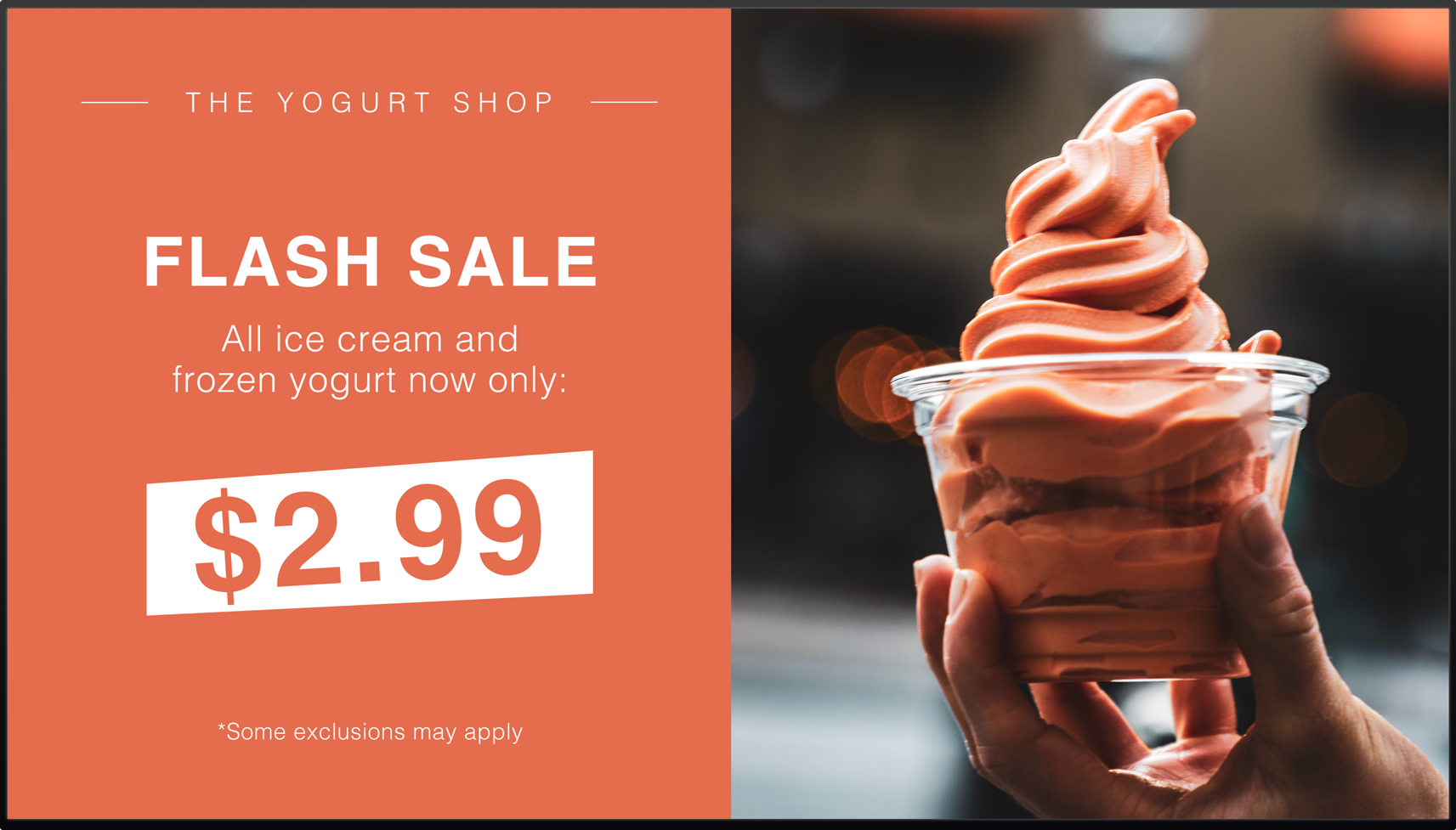
Customize the following:
- Header
- Title
- Description
- Price
- Disclaimer
- Background color
- Font color
- Media — see acceptable file types here
Full menu
The Full Menu template displays three columns of restaurant-style menu items.
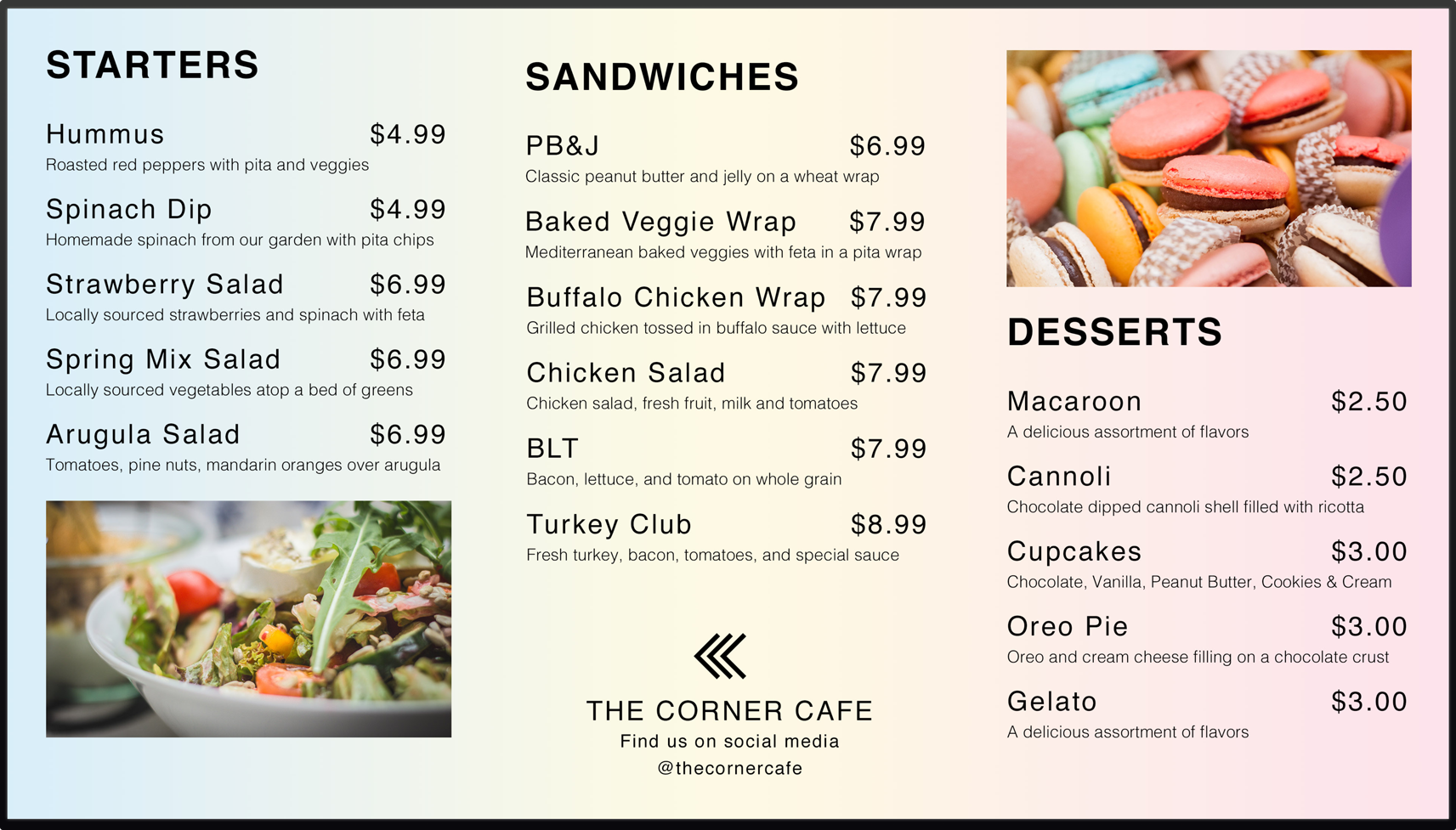
Customize the following:
- Background color
- Font color
- Column header color
- Column header text
- Menu item title, description and price
- Media — see acceptable file types here
Wayfinding
The Wayfinding template gives directions and guides people through physical environments.
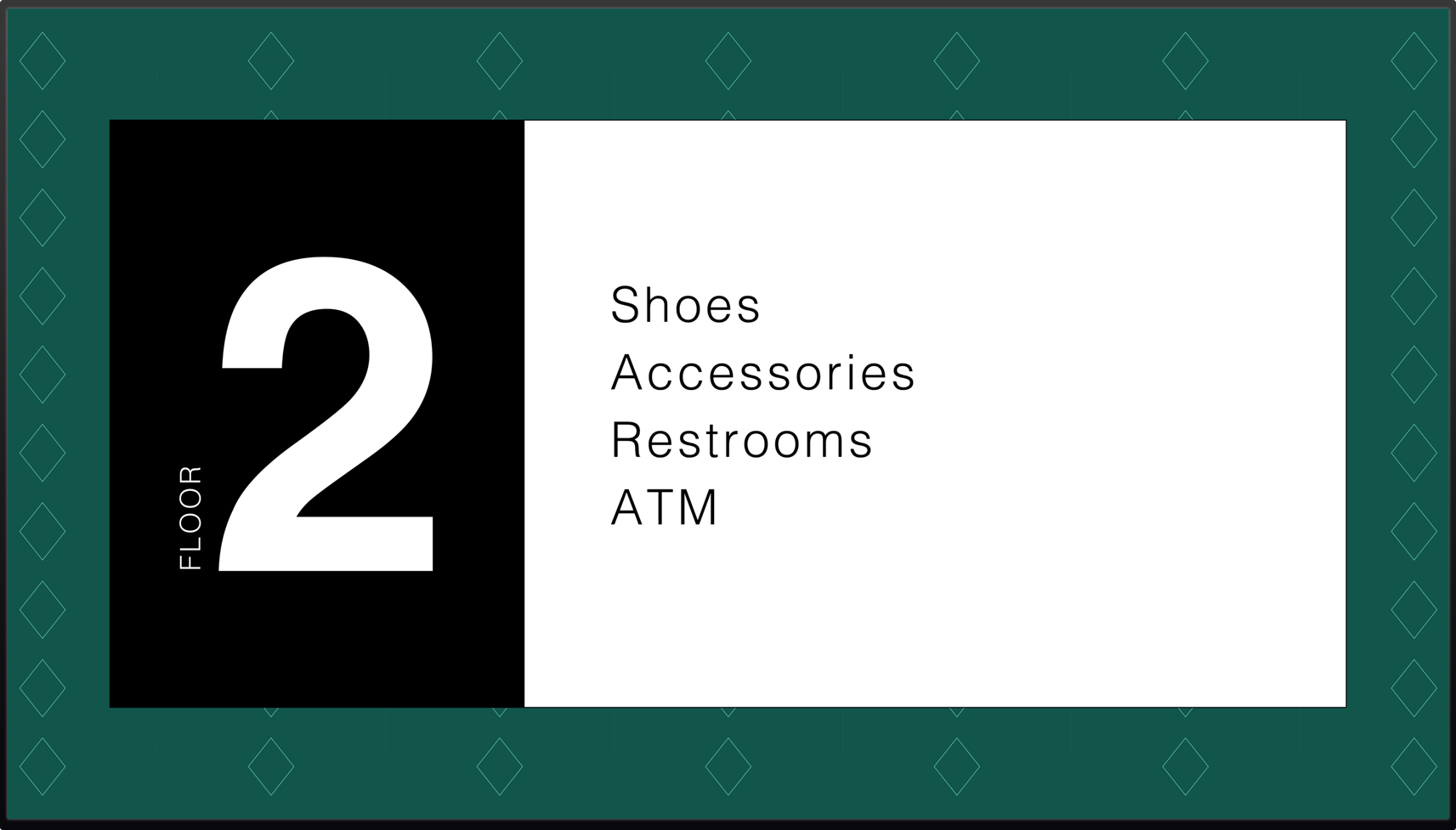
Customize the following:
- Background color
- Background media — see acceptable file types here
- Font color
- Location
- Location label
- Waypoints
Informational
The Informational template communicates important information to your audience with text and media.

Customize the following:
- Background color
- Background media — see acceptable file types here
- Font color
- Header text
- Header title
- Header subtitle
Media
The Media template allows users to upload and display their own Media files. Browse files or drag and drop a file for the item. Accepted file types: PNG, JPEG, JPG, and MP4

Media Quadrants
The Media Quadrants template allows you to display four different image and video files on your digital signs at the same time. Accepted file types: PNG, JPEG, JPG, and MP4

Detailed Informational
The Detailed Informational template provides important information to visitors.
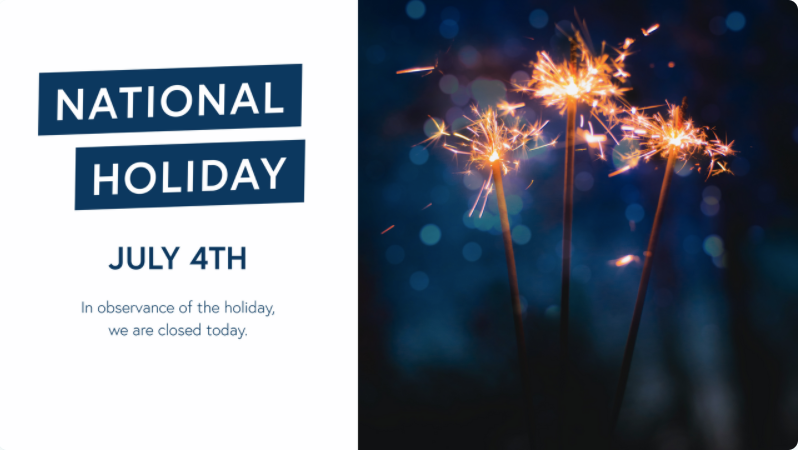
Customize the following:
- Headline 1
- Headline 2
- Secondary headline
- Background color
- Font color
- Media — see acceptable file types here
Large Headline Informational
The Large Headline Informational template provides important information to viewers in a large text format.

Customize the following:
- Headline 1
- Headline 2
- Secondary headline
- Font background-color
- Font color
- Background color
- Background media — see acceptable file types here
Spotlight
The Spotlight template highlights someone in your organization

Customize the following:
- Headline 1
- Headline 2
- Secondary headline
- Text
- Font color
- Headline 2 font color
- Top background-color
- Bottom background-color
- Media — see acceptable file types here
Feature
The Feature template allows users to feature an event, promotion or current deal.

Customize the following:
- Headline
- Secondary headline
- Text 1
- Text 2
- Background color
- Font color
- Shadow color
- Left column media — see acceptable file types here
- Right column media — see acceptable file types here
Directory
The Directory template shows a list of names and locations.
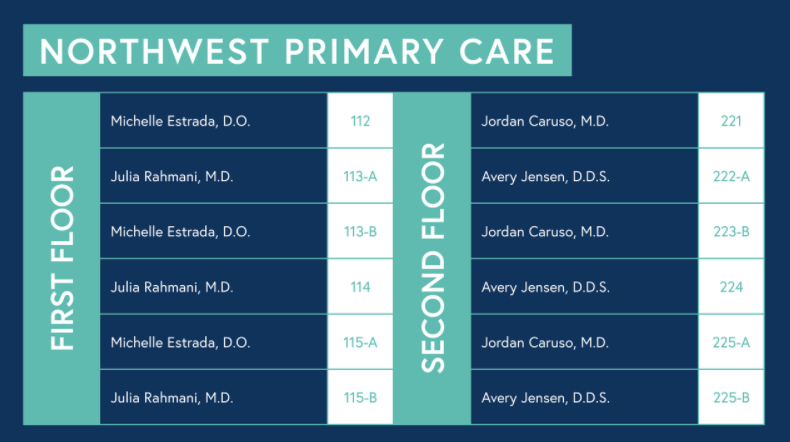
Customize the following:
- Header
- Font color
- Room number font color
- Room number background color
- Directory color
- Background color
- Location 1
- Location 2
Note:
Additional locations can be added by selecting the "Add Location' button in the bottom-left corner of the Directory List.
Feature 2
The Feature 2 template allows users to feature an event, product, deal and more.
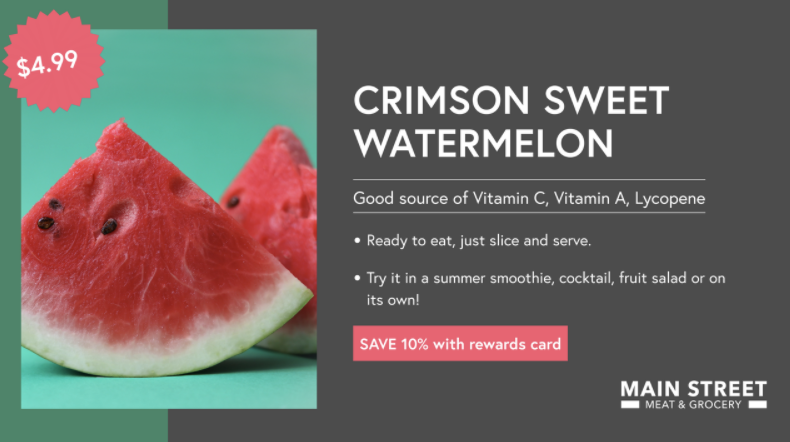
Customize the following:
- Headline
- Secondary headline
- Description
- Banner
- Badge
- Font color
- Background color 1
- Background color 2
- Media — see acceptable file types here
Static Web URL
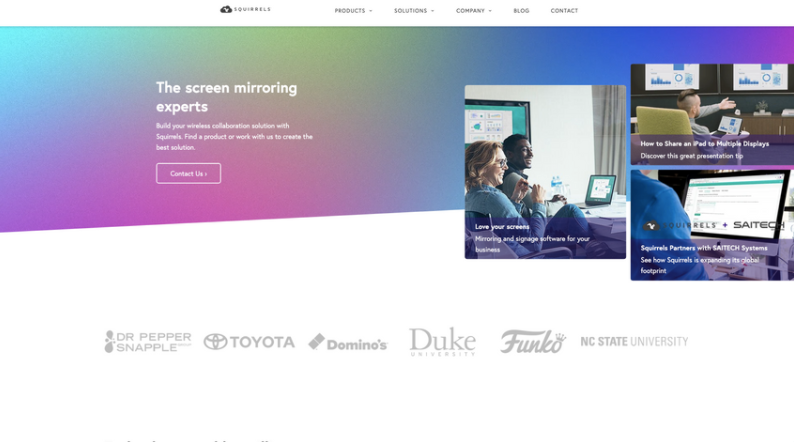
The Static Web URL allows you to display content from a specific URL as an item in your digital signage list.
Note:
For the best user experience, we recommend using URLs to display content that are internally controlled URLs such as internal charts, intranets, and your company website.
Adding a URL for video platforms like YouTube, Vimeo, and others will not play the video in your signage. It would only show a still image of the webpage. Instead, you can upload media files using the media signage item to display videos as signage.
Some external links can be helpful such as publicly accessible stock data, traffic cams, weather forecasts, and more.
Today's Weather
The Today's Weather template will display the current weather for your current location.
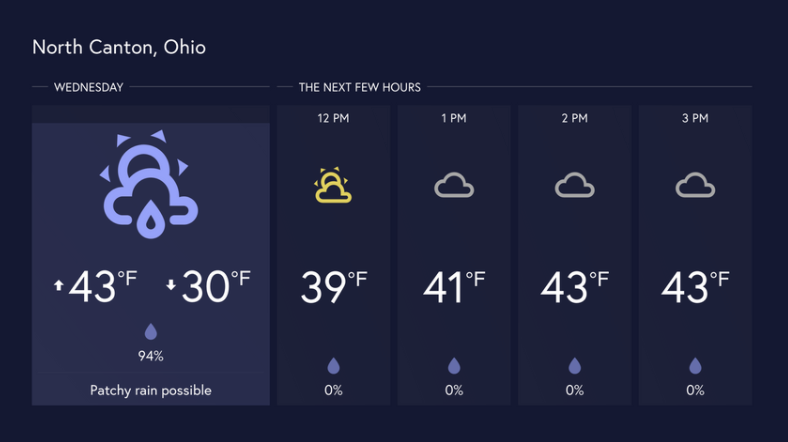
Customize the following:
- Location - enter a city name, zip code, IP address or latitude/longitude for the desired location
- Temperature scale
- Background color
- Font color
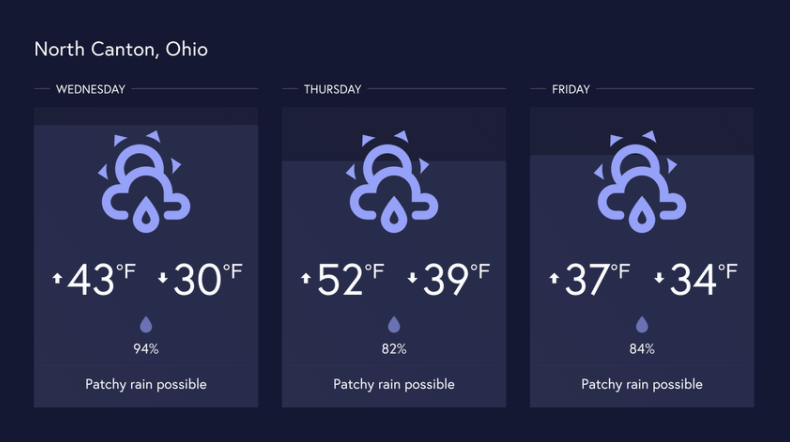
Three-Day Weather
The Three-Day Weather template will display the weather forecast for the next three days.
Customize the following:
- Location - enter a city name, zip code, IP address or latitude/longitude for the desired location
- Temperature scale
- Background color
- Font color
Occupancy - Health
The Occupancy - Health template will display occupancy and safety rules.
/Occupancy%20-%20Health.png?width=670&height=378&name=Occupancy%20-%20Health.png)
Customize the following:
- Background color
- Main title
- Number of people
- Occupancy description
- Title font color
- Occupancy font color
- Health rules background color
- Health rules font color
- Health rules image color
Health Tips
The Health Tips template will display health and safety rules.
/Create_A_Healthy_Space_Full.png?width=670&height=376&name=Create_A_Healthy_Space_Full.png) Customize the following:
Customize the following:
- Background color
- Use media background
- Main title
- Description
- Title font color
- Health rules background color
- Health rules font color
- Health rules image color
Occupancy - General
The Occupancy - General template allows users to display how many people can occupy a space.
/Maximum%20Occupancy.png?width=670&height=374&name=Maximum%20Occupancy.png)
Customize the following:
- Headline
- Number of people
- Description
- Headline font color
- Headline background color
- Occupancy font color
- Image --- see acceptable file types here
- Media — see acceptable file types here
- Background color
YouTube Video
The YouTube Video template allows you to display videos and live streams from a specific YouTube URL as an item in your digital signage list.
/YouTube%20Template.png?width=670&height=326&name=YouTube%20Template.png)
Note:
Ditto is unable to play private YouTube videos. In order for a video to be shared and played successfully, it must be either public or unlisted on YouTube.